.webp) h5prism.com
h5prism.comHow to Play Avatar World and Create Your Own Adventures
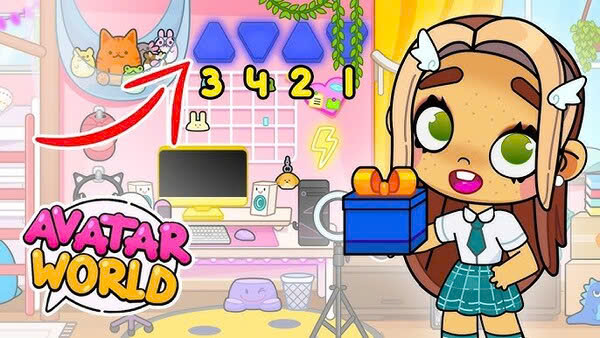
Avatar World is a colorful life simulation game that allows players to create characters, explore different locations, decorate homes, and build their own stories. Instead of following a strict mission system or competing against other players, the game gives you the freedom to decide what happens in your virtual world. You can design a character that reflects your personality, create a family, open a shop, organize a party, or imagine an entire day in a lively city. This freedom makes Avatar World appealing to players who enjoy creativity, role playing, and relaxing gameplay.
Learning how to play Avatar World is simple, but discovering all its possibilities takes time and imagination. Each location can become part of a larger story, and everyday objects can be used to create interesting scenes. You might begin with a simple character customization session and eventually develop a detailed story about school life, family relationships, holidays, or adventures around town. The game encourages experimentation, allowing you to change your plans whenever you discover something new.
This guide explains how to get started with Avatar World, customize characters, explore locations, interact with objects, decorate houses, create stories, manage your progress, and make your gameplay more enjoyable. Whether you are opening the game for the first time or looking for fresh ideas, these practical steps will help you make the most of your virtual experience.
1. How to Download and Start Playing Avatar World

The first step is to install Avatar World on a compatible device. Before downloading, check the application name and publisher to make sure you select the correct game. Use an official app store whenever possible, and avoid unfamiliar websites that offer modified installation files or promise unlimited paid content, as these files may create security risks for your device.
After installation, open the game and allow it to finish loading. Spend a few moments looking at the main screen to understand the available options. Depending on the version, you may see character customization tools, location selections, home design options, or other activities. Start with the features that are immediately available rather than trying to unlock everything at once. Some content may require an additional purchase, so check what is included before spending money.
For your first session, follow this simple plan.
- Open the game and explore the main menu
- Choose a character and experiment with its appearance
- Visit a familiar location such as a home
- Tap different objects to learn how interactions work
- Move characters and items around the scene
- Choose one simple activity to turn into a short story
Taking these steps makes the beginning less confusing and helps you understand the basic mechanics. You do not need to master every feature immediately because Avatar World is designed around open ended play rather than a strict sequence of challenges.
2. How to Create and Customize Your Avatar
Character customization is one of the most enjoyable parts of Avatar World. You can experiment with hairstyles, clothing, skin tones, facial features, and accessories to create characters with different appearances. The available choices depend on the content unlocked in your version of the game. Instead of selecting random items, begin with a theme that helps you decide how your character should look.
For example, you could create a cheerful student with colorful clothes, a fashionable character with coordinated accessories, or a mysterious explorer with a distinctive hairstyle. Select a few colors that work well together and use them throughout the outfit. Matching colors can make a character look more polished without requiring rare or premium items. You can also create different characters for different roles so that your stories have a recognizable cast.
A useful method is to build each character around a simple personality. A sporty character might wear comfortable clothes, while an artist could have a colorful outfit and creative accessories. A shopkeeper might dress neatly, and a traveler could carry items associated with exploring new places. These choices are creative suggestions rather than rules imposed by the game.
Once your character is ready, check the full appearance before moving on. Look at the hairstyle, face, clothing, and accessories together to see whether they match your idea. If something feels wrong, change it and experiment with another combination. The goal is to create a character you enjoy using throughout your adventures, not simply to select the most expensive looking outfit.
3. How to Explore Locations and Discover New Places
After creating your avatar, begin exploring the world. Avatar World offers a colorful environment with different locations and interactive scenes. Depending on the available content, you may be able to visit places such as homes, schools, shops, restaurants, parks, and other areas. Each location can provide a different setting for your stories, making exploration an important part of the experience.
Start with one location and examine everything around you before moving to another. Look at furniture, shelves, doors, storage areas, and objects placed throughout the scene. Some items are mainly decorative, while others can be moved or used as part of an activity. Try tapping objects and dragging them to see how they respond. Exploring slowly is often more rewarding than quickly moving through every available location.
You can also connect locations to create a complete adventure. Begin at home, travel to school, visit a shop after class, and return home in the evening. This simple sequence gives your characters a daily routine and creates a natural beginning, middle, and ending for a story. You can change the order whenever you want to create a different experience.
If a location is unavailable, do not assume that you are playing incorrectly. Some areas or items may depend on the version of the game or the content you have accessed. Continue exploring the available locations and return to other areas later. Learning how each environment works will help you discover new ideas for future adventures.
4. How to Use Objects and Interact With Characters
Interacting with objects is a basic skill that makes Avatar World much more interesting. Many scenes contain items that can be picked up, moved, rearranged, or incorporated into role playing activities. Depending on the object, you may be able to place it on a table, give it to a character, move it into another part of the room, or use it to create a specific scene.
Begin by selecting a character and trying simple actions. Move the character closer to an object, pick up a suitable item, and place it somewhere that makes sense. For example, you might move a cup to a dining table, place a book on a desk, or arrange food for a family meal. Small actions help you understand how the environment responds to your choices.
Characters can also be used to represent different roles in a scene. One character might act as a teacher, another as a student, and a third as a parent arriving at school. You can position them in different places and use nearby objects to suggest what is happening. Their arrangement becomes a visual storytelling tool.
Try the following interaction routine whenever you enter a new area.
- Select a character to use in the scene
- Look for nearby objects that fit your activity
- Move useful items into convenient positions
- Arrange characters according to their roles
- Experiment with different object combinations
- Change the scene if a more interesting idea appears
Not every object will behave in the same way, so experimentation is important. If something does not respond as expected, try selecting it again or moving it to another position. The more familiar you become with the available interactions, the easier it will be to create detailed scenes.
5. How to Decorate Your Home and Design Beautiful Rooms
Home decoration gives you an opportunity to create a personal space for your characters. Instead of leaving every room as it appears initially, consider how the furniture, colors, and objects can reflect the lifestyle of the people living there. You might design a cozy family home, a modern apartment, a creative studio, or a colorful bedroom for a student.
Begin with the main furniture before adding smaller decorations. Decide where beds, tables, sofas, chairs, and storage items should go. Keep enough room for characters to move around and make sure important objects are easy to reach. A room can look attractive while still being practical for everyday activities. If everything is crowded into one corner, rearrange the furniture until the layout feels more natural.
Next, choose a theme for the room. A bedroom could use soft colors and comfortable furniture, while a study room might feature books, a desk, and items associated with learning. A kitchen can be organized around cooking and family meals. Keeping a consistent theme makes the environment feel more complete and helps you plan the scenes that will take place there.
Small decorations can make a big difference. Place personal items on shelves, arrange accessories around the room, and use objects to suggest the character's hobbies. You do not need to fill every available space. Sometimes a simple room with a clear purpose looks better than one containing too many unrelated items.
After decorating, test the room by acting out an ordinary day. Move characters between the bed, desk, kitchen, and living area. If an object blocks an important path or the furniture makes an activity difficult, adjust the layout. This approach turns decoration into an ongoing creative process rather than a task that ends when the room looks attractive.
6. How to Create Your Own Stories and Role Playing Adventures

One of the best ways to enjoy Avatar World is to invent stories for your characters. The game gives you the freedom to create scenes without needing to follow a single official storyline. You can imagine family routines, school activities, friendships, celebrations, shopping trips, or unexpected events. Every location and object can become part of a story when you give it a purpose.
Start with a simple idea that has a clear beginning, middle, and ending. For example, a character could wake up, prepare for school, meet a friend, and return home to finish a project. Another story might follow a family preparing for a birthday party. You can arrange the characters and objects to represent each stage, moving them between locations as the story develops.
To make your stories more interesting, give each character a different personality or goal. One character might enjoy fashion, while another prefers sports or cooking. These differences create opportunities for funny conversations, misunderstandings, and unexpected situations. You can introduce a small problem, such as forgetting a birthday present, and then decide how the characters solve it.
Here are some story ideas to try.
- Create a family moving into a new home
- Organize a birthday party with food and decorations
- Tell a story about a student on the first day of school
- Open a small shop and create a day in the life of its owner
- Plan a vacation with packing, traveling, and exploring
- Invent a mystery involving a missing object
- Create a fashion show with several unique characters
You can make these stories as short or detailed as you like. A five minute adventure is enough for a quick session, while a larger story can continue across multiple visits to the game. If you enjoy making videos or screenshots, you can also arrange scenes to show important moments from your imaginary world.
7. How to Make Friends and Build Relationships Between Characters
Relationships help turn a collection of characters into a believable community. You can create siblings, parents, classmates, neighbors, coworkers, or best friends and decide how they interact within your stories. These relationships are part of your own role playing ideas, giving you the freedom to design a world that feels personal and consistent.
Begin by deciding how the characters know each other. Two characters might be siblings who share a bedroom, while another could be a new student who recently moved into the neighborhood. You could introduce a friendly shopkeeper who recognizes the family or a neighbor who regularly visits their home. Giving every character a clear role makes it easier to decide where they belong and what they might do.
Next, use locations and objects to represent shared activities. Friends could meet at a park, family members could eat together at home, and classmates could spend time at school. Arrange the characters around suitable objects to make each interaction easier to understand. A table with food suggests a meal, while books and desks help create a classroom scene.
You can also develop relationships over time. A new character might initially feel uncomfortable in an unfamiliar place but gradually become part of a group. Two characters with different interests might learn to enjoy an activity together. These changes do not need to follow complicated rules. You decide what happens and can change the story whenever you discover a new idea.
For a more organized experience, keep a simple mental note of each character's role, personality, and important relationships. This helps maintain continuity when you return to a story after several days. It also prevents your characters from feeling interchangeable, especially when you create a large family or a busy fictional community.
8. How to Find Hidden Details and Make the Most of Each Location
Exploration becomes more exciting when you pay attention to small details. Avatar World includes interactive environments and a variety of objects, so looking carefully can reveal possibilities you might overlook during a quick visit. The exact interactions depend on the location and the content available in your version, but curiosity is a useful habit throughout the game.
When entering a new room, examine the scene from one side to the other. Check shelves, cupboards, drawers, counters, and other objects that appear interactive. Tap an item and observe what happens. If nothing changes, try selecting it again or moving it to another position. Some objects may be easier to use when a character is standing nearby.
It is also worth experimenting with combinations. An item that seems ordinary on its own might become useful when placed beside another object. Food can help create a restaurant scene, clothing can support a fashion story, and household items can make a family routine feel more realistic. Think about what each object could represent rather than focusing only on whether it unlocks something.
Use a simple exploration checklist when visiting an unfamiliar area.
- Examine the main furniture and decorations
- Check objects that look movable or interactive
- Try placing items in different suitable locations
- Look for useful props for your current story
- Revisit interesting rooms with different characters
- Remember which objects helped create a good scene
Avoid believing every online claim about secret rewards or hidden areas without checking it. Some guides may describe older versions or features that are unavailable in your game. The most reliable approach is to experiment with the content you can actually access and use discoveries to inspire your own stories.
9. How to Improve Your Gameplay and Avoid Common Mistakes
Although Avatar World is designed to be approachable, a little planning can make your sessions more enjoyable. One common mistake is trying to explore every location, customize every character, and decorate every room during the first session. This can become overwhelming because the game offers many creative possibilities. Instead, choose one activity and finish a small project before moving to something else.
Another common problem is placing too many objects in a small space. A room filled with furniture and decorations may look impressive at first, but it can become difficult to move characters around or find specific items. Start with the essentials, leave enough open space, and add decorations gradually. You can always change the design later if your needs or ideas evolve.
It is also helpful to keep your stories organized. If you are creating a family adventure, use the same characters and locations consistently. If you begin a school story, decide who the students and teachers are before arranging the classroom. This simple preparation makes your scenes easier to understand and allows you to develop longer adventures without losing track of the plot.
For a smoother experience, remember these practical tips.
- Focus on one goal during each play session
- Use clear themes when creating outfits and rooms
- Explore slowly instead of rushing between locations
- Reuse characters to develop continuing stories
- Check available storage and device space if the game has technical issues
- Keep the game updated through an official store when possible
- Ask a parent or guardian before making purchases if needed
Finally, remember that the purpose of Avatar World is to enjoy creating and exploring. You do not need to complete every activity or own every item to have a satisfying experience. A small, imaginative story can be just as enjoyable as a large world filled with elaborate decorations.
10. How to Build a Complete Avatar World Routine
Once you understand character customization, exploration, decoration, and role playing, you can combine these skills into a regular gameplay routine. Having a simple plan gives each session direction while preserving the freedom to change your mind. You might spend one session designing characters, another decorating a home, and a later session creating a story that uses both.
A good routine begins with a quick review of your current world. Choose which characters you want to use, decide where the next scene will happen, and collect the objects that fit your idea. If you have already built a house or created a family, use those existing elements rather than starting from scratch. Building on earlier work can make your virtual world feel more connected.
After preparing the scene, act out the main event. Perhaps your characters are preparing for a trip, organizing a celebration, starting a new school year, or opening a business. Move between locations as necessary and use props to show what is happening. When the story reaches a natural ending, take a moment to inspect the scene and consider what you might want to change next time.
You can also divide your creative projects into different themes throughout the week. For example, one day could focus on fashion, another on home design, and another on exploring unfamiliar places. A later session could bring everything together in a longer story. This method helps you discover different aspects of the game without feeling pressured to do everything at once.
Most importantly, let your interests guide your routine. If you enjoy designing houses, spend more time decorating. If you prefer storytelling, develop recurring characters and imaginative situations. If exploration is your favorite activity, visit different locations and experiment with their objects. Avatar World offers a flexible creative space, and your personal approach is what makes each session unique.
Conclusion
Avatar World is a creative life simulation game that allows you to design characters, explore colorful locations, decorate homes, and invent stories without being limited to a single way of playing. Learning the basics makes it easier to enjoy everything the game offers, from choosing outfits and arranging furniture to creating friendships and organizing imaginative adventures.
The best way to improve is to experiment with different activities and build on your ideas over time. Start with a few characters, explore one location, and create a simple story. As you become more familiar with the controls and interactive objects, you can develop larger adventures and more detailed environments. You can also revisit earlier scenes to change decorations, introduce new characters, or create a different ending.
Whether you prefer fashion, interior design, exploration, or storytelling, Avatar World gives you the freedom to play in your own style. Be curious, try new combinations, and enjoy creating a virtual world that reflects your imagination.
Summary
Learn how to play Avatar World, customize characters, explore locations, decorate homes, discover secrets, and create fun stories with simple tips for beginners.